Every defect, tracked.
Capture. Schedule. Close.
Resolution isn't optional.
From the moment a defect is raised in the field, DoorTRACE tracks it through five stages, and refuses to mark a door compliant until the fix is signed off.
Most platforms stop at the photo.
Inspection-only tools tell you what's broken. They don't tell you what got fixed, when, by whom, or whether the door is actually compliant again. The gap between "defect found" and "defect closed" is where compliance evidence disappears.
No resolution evidence
The defect gets photographed, logged, and forgotten. When a regulator or insurer asks what happened next, there's nothing in the system to point at.
Spreadsheets lose defects between visits
A defect raised in March, scheduled in May, signed off in July, across three engineers and two systems. Nobody owns the chain. The story breaks.
Compliance theatre
Some platforms let a passing routine inspection silently close earlier defects. DoorTRACE doesn't. A door stays requires_action until every open defect is closed by a signed post-remedial form.
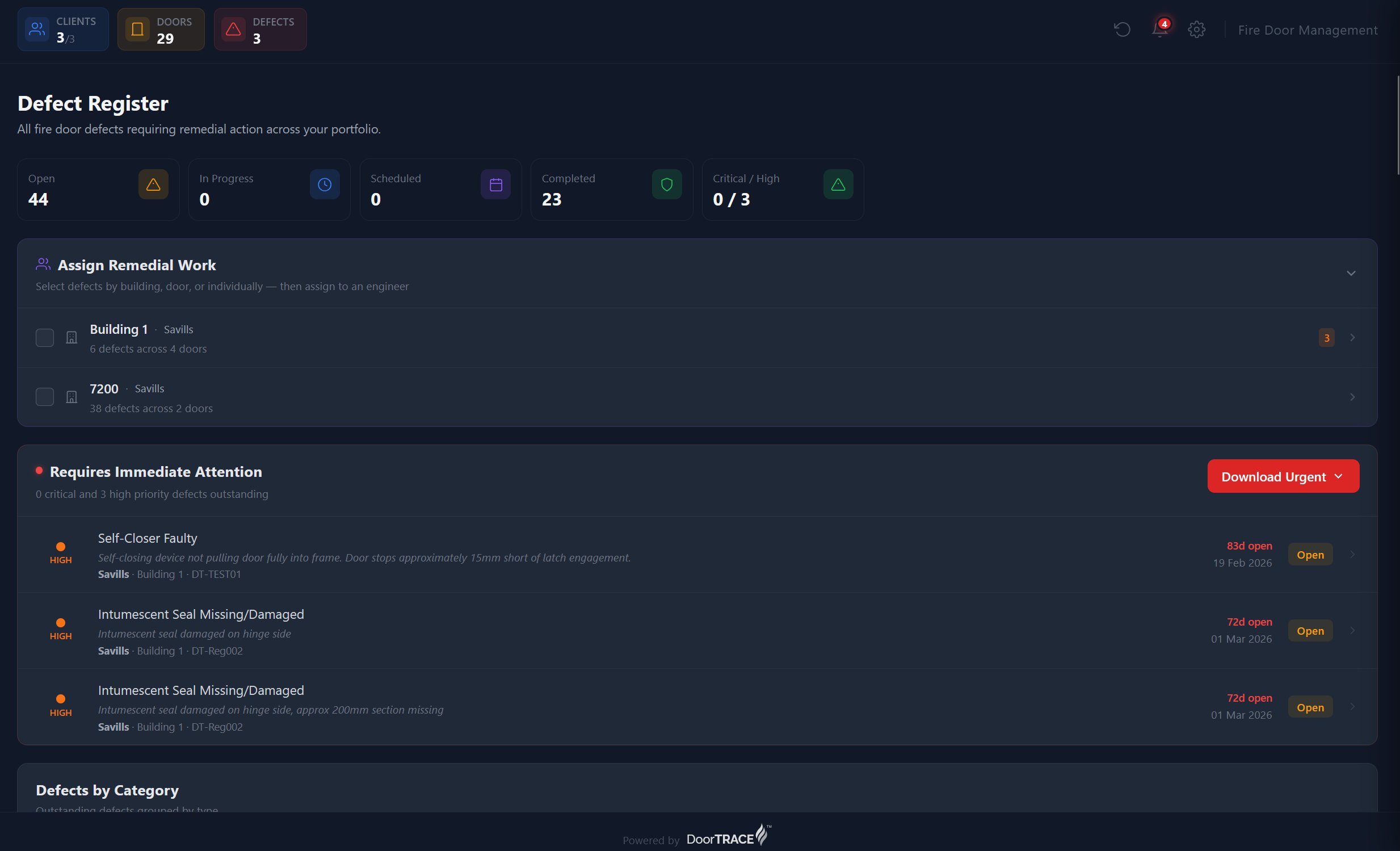
Every open issue, status-pilled.
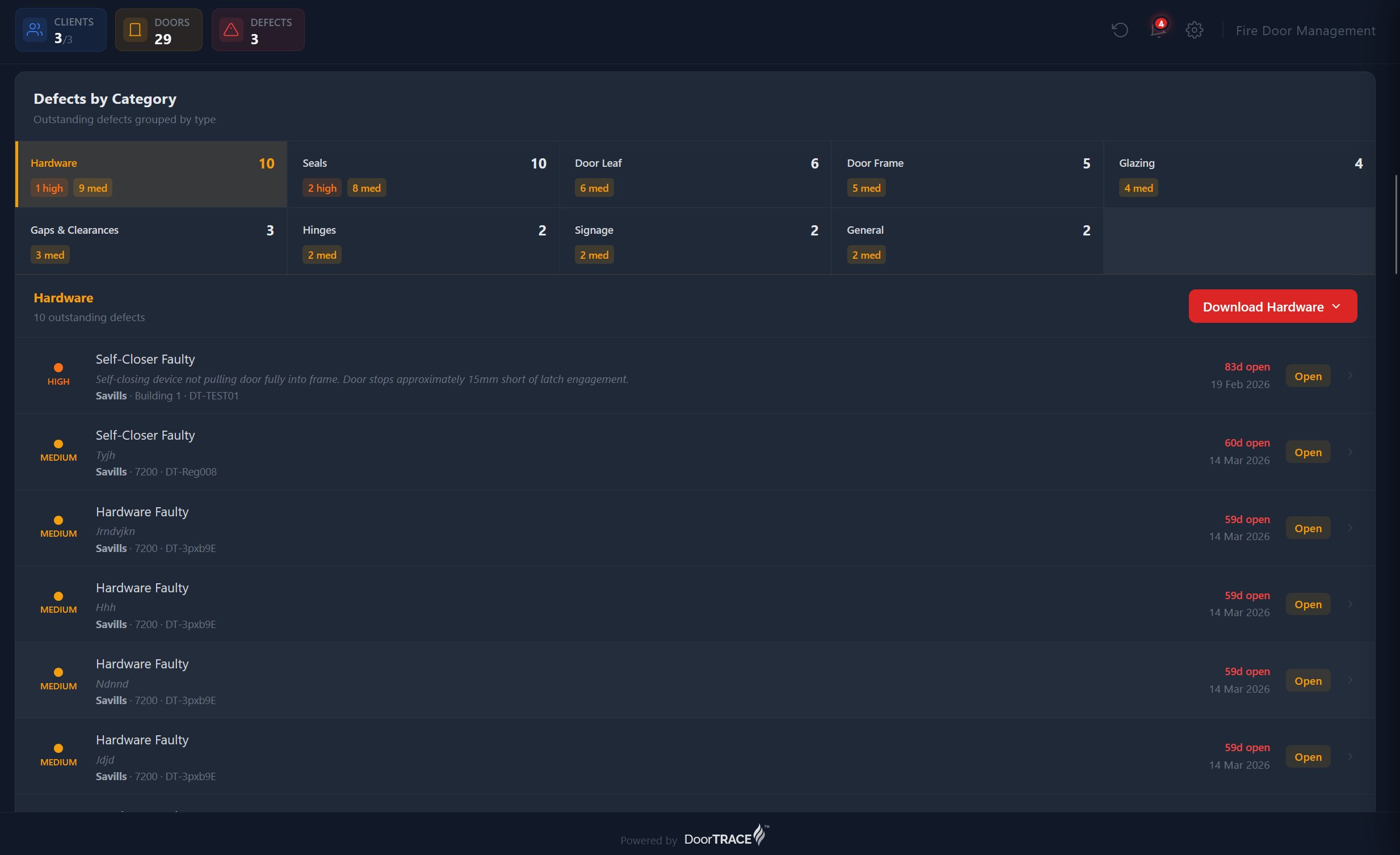
Every defect in your portfolio, sorted by severity, age, and door. Bulk-assign engineers, bulk-schedule remedials, filter by client or building. The opposite of a spreadsheet.
One defect. Five stages.
Every step accountable.
A defect travels through five platform-enforced stages before it's closed. Each has its own UI, its own evidence requirement, and its own audit-log entry.
Raised
A failed BS 8214 checklist item auto-creates a defect. Or the engineer raises one manually from the door's record. Either way, the capture has to be complete before the engineer can move on.
- Defect type from a fixed library (10 categories)
- Severity grade: critical, high, medium, or low
- Required photo evidence with GPS
Triaged
Defects appear centrally the moment they sync from the field. FM admins see severity, age, door, building, client, and engineer involved. Sort, filter, bulk-select.
- Live register: no spreadsheet refreshes
- Filter by client, building, severity, status
- Bulk-select for batch actions
- Recommended remedial action surfaced per defect type
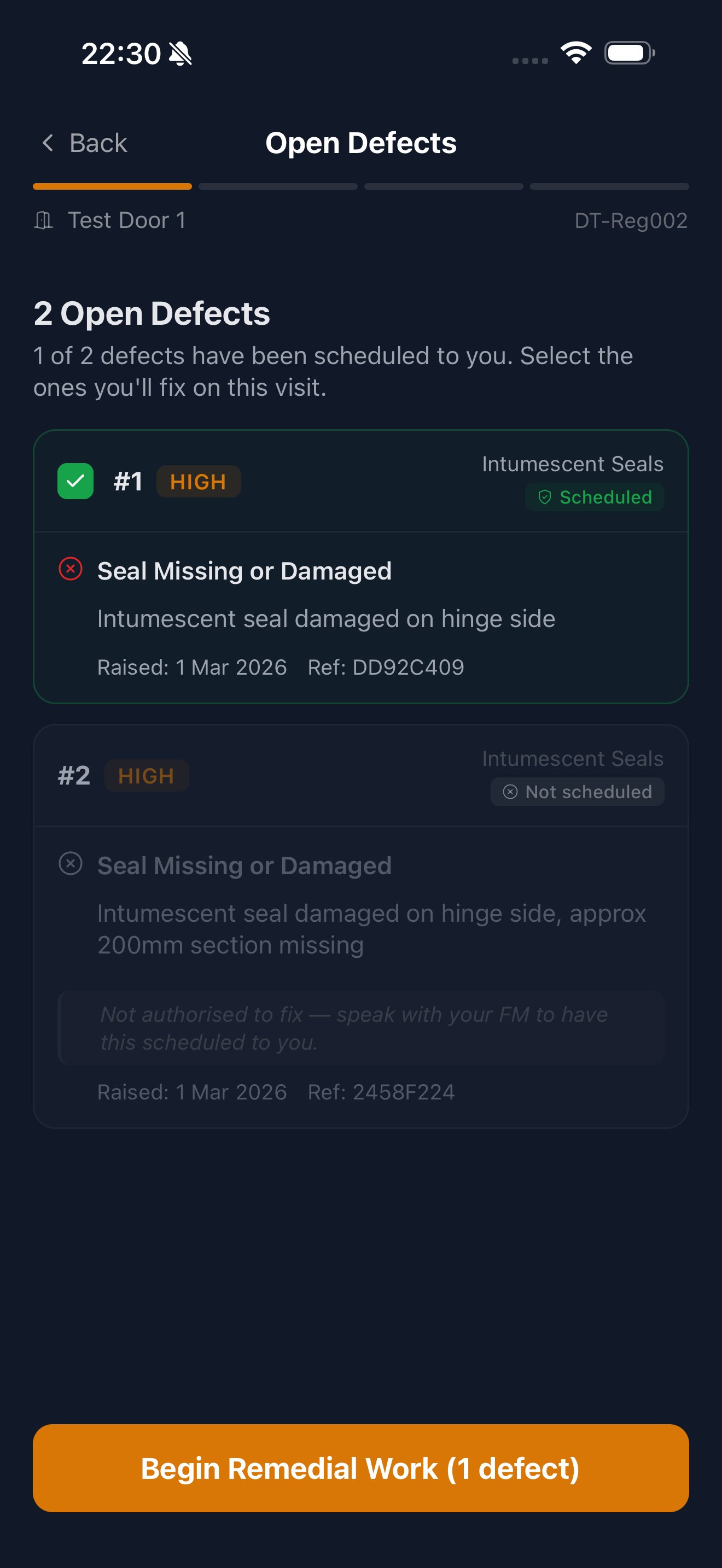
Scheduled
Pick a date, assign an engineer, notify the client. Per regulation, scheduling restores the door's compliance status, but the platform starts a 90-day clock. If the work isn't done in time, the door auto-reverts to non-compliant.
- Date picker with engineer dropdown
- Bulk-schedule across defects on the same door or building
- Scheduling restores compliance, but the 90-day clock starts ticking
Fixed
The post-remedial inspection is its own workflow, distinct from a routine quarterly. The engineer captures evidence of the repair, not just the door's condition. Before/after photos are required.
- A separate workflow from routine inspections
- Evidence of the fix, not just the state
- Engineer can't close a defect from anywhere else
Closed
Door status auto-recalculates. The door returns to compliant only if every open defect on the door is closed by a signed post-remedial form and the latest inspection passed. Otherwise, it stays as requires_action.
- One open defect anywhere = door not compliant
- Status change written to the audit log
- Visible to FM, engineer, and client at once
A passing inspection does not
close an open defect.
Not a setting. A platform rule. The only thing that closes a defect on DoorTRACE is a completed post-remedial inspection signed off by the assigned engineer. Until that happens, the door cannot return to compliant, no matter how many passing inspections come and go.
Post-remedial is its own workflow
Engineers can't accidentally close a defect with a routine pass. They have to be assigned to the remedial specifically, and complete a separate workflow before the defect can close.
Door status auto-recalculates
Every defect change re-evaluates the door. One open critical defect means the whole door isn't compliant, regardless of how many passing inspections came before or after.
Every change audit-logged
Who raised it, who scheduled it, who fixed it, against what evidence. The trail satisfies Golden Thread requirements out of the box.
Visible to every party at once
The moment a defect is raised in the field, it appears in the FM register, the engineer's queue, and the Responsible Person's client view simultaneously. No buffer period. No private status.
The clock that compliance can't ignore.
Per the Fire Safety (England) Regulations, a scheduled remedial restores a door's compliance status. DoorTRACE enforces the regulatory 90-day window automatically. If the work isn't completed in time, the door reverts to non-compliant.
See a real defect.
Captured. Tracked. Closed.
On a 30-minute demo we'll walk a defect through the full lifecycle: raise it on the engineer app, watch it appear in the FM portal, schedule the remedial, sign off the fix, and see the door status update live.