Fire door inspection software that makes compliance provable
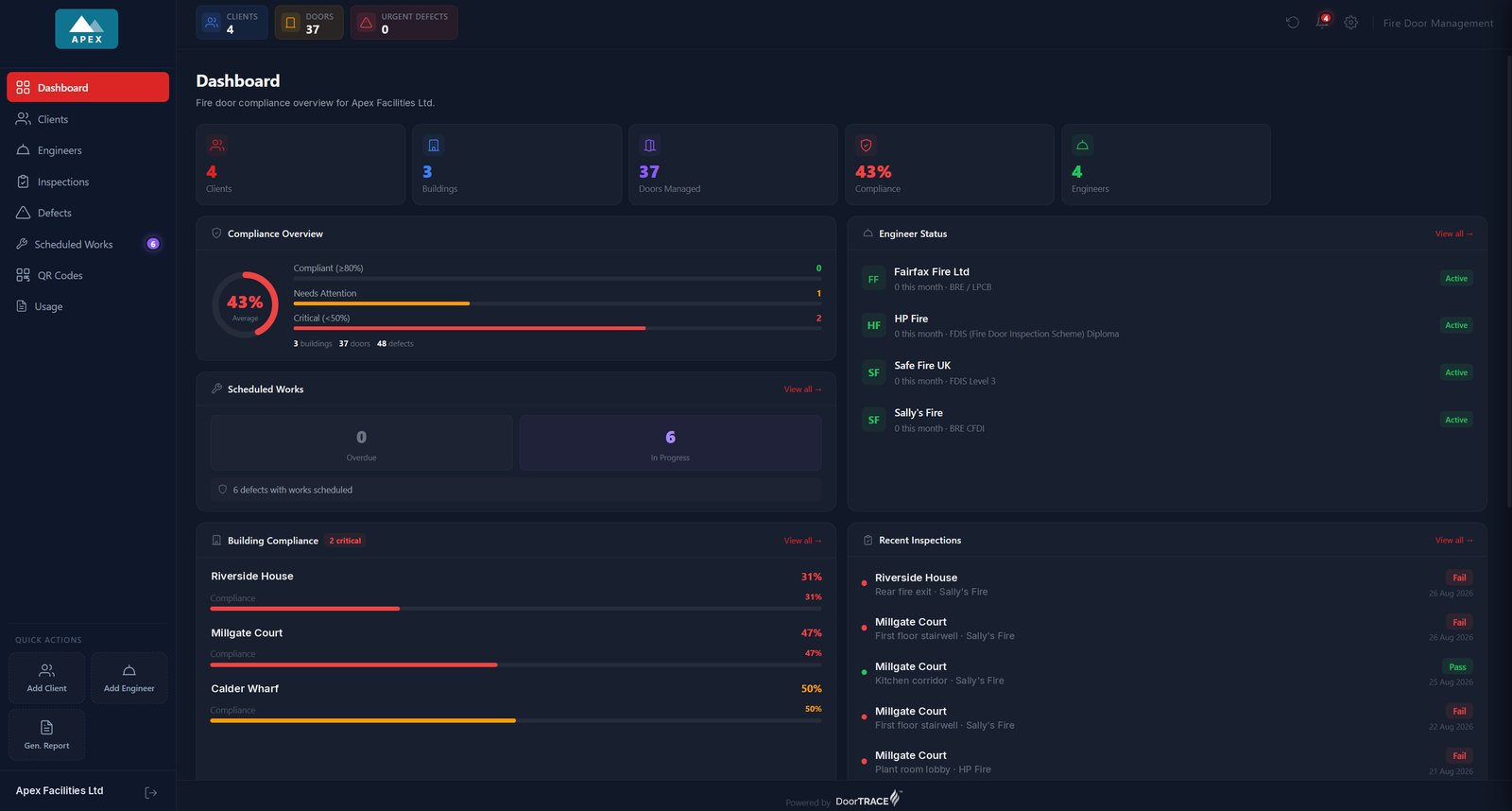
DoorTRACE gives every fire door a permanent QR identity, a 41-point BS 8214:2026 inspection record, a pin on the floor plan, and an append-only audit trail. From the engineer on site to the Responsible Person signing it off, everyone works from the same live evidence.
Engineer app on iOS & Android · Built in the UK for UK fire safety law · FSO 2005 · FSER 2022 · Building Safety Act 2022
iOS & Android
iOS & Android
What fire door inspection software does
Fire door inspection software replaces the paper checklist, the spreadsheet register and the folder of photos with one system. Each door gets its own record: where it is, down to a pin on the floor plan, what rating it carries, when it was last inspected, what was found, and what happened next. Inspections happen on a phone against a structured checklist, defects are logged with photos on the spot, and certificates, inspection reports and building reports generate themselves from the data.
The result is a compliance position you can show a regulator, an insurer or a building owner at any moment, without a week spent assembling evidence.
Who needs it
Responsible Persons
The Fire Safety Order 2005 makes fire door condition your legal duty. Software turns that duty into a live, provable record instead of a filing cabinet.
FM companies
Doors spread across many clients and buildings mean many inspection cadences and many report formats. Multi-tenant software keeps every client separated and every deadline visible.
Housing providers
Regulation 10 sets quarterly checks on communal doors and annual best-endeavours checks on flat entrance doors in buildings over 11m. Software keeps the cadence honest and the evidence complete.
In-house estates teams
NHS trusts, universities and councils run thousands of doors in-house. Software replaces the spreadsheet that only one person understands.
How DoorTRACE works
One connected system: the engineer app captures the inspection, the portal manages the portfolio, and every client gets their own white-labelled dashboard. See how it fits together.
QR plaques
Every door carries a tamper-evident QR plaque. Scan it to inspect, or scan it in public to verify the door's live status. The plaque is the door's permanent identity.
BS 8214:2026 and BM TRADA Q-Mark
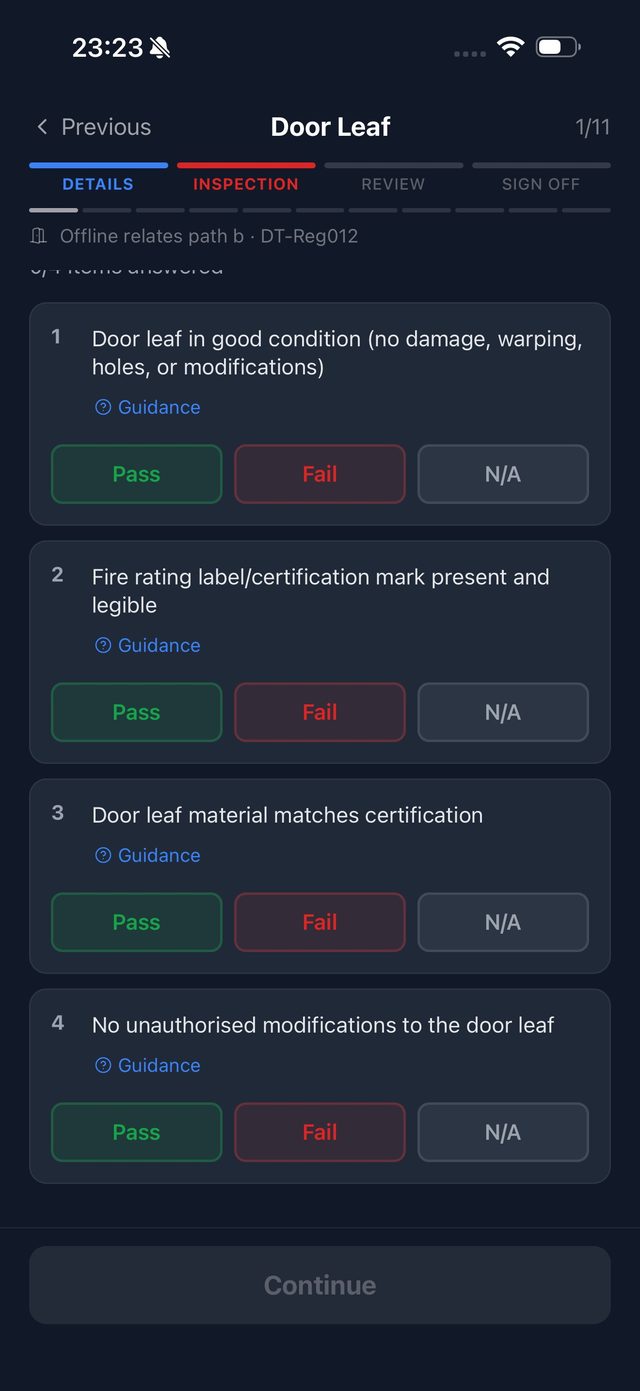
Inspections run against a 41-point checklist aligned to BS 8214:2026, covering leaf, frame, gaps, seals, closers, hinges, glazing, hardware and signage. Engineers on the BM TRADA Q-Mark scheme inspect against the DCS 058 form instead, and every report states which scheme was used.
Offline engineer app
The iOS and Android app works with no signal: basements, stairwells, plant rooms. Inspections and photos sync automatically once you're back in coverage.
Floor plans
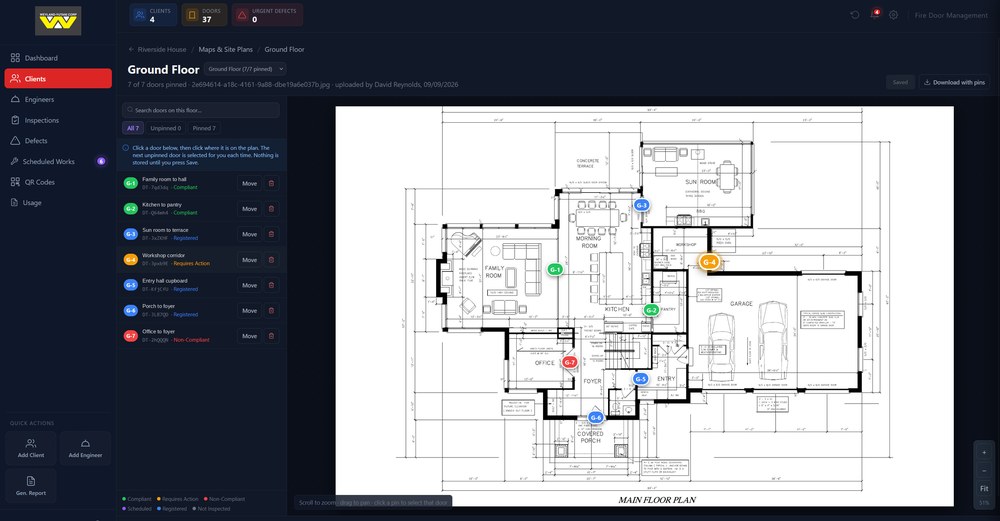
Attach a plan to each floor and pin every door onto it. The marked-up plan downloads as a report, and a building pack puts every floor's plan and door key in one PDF for a fire officer to walk with.
Defect tracking
Every failed item becomes a tracked defect with photos, priority and recommended action, followed through remedial work to a signed post-remedial form.
Append-only audit trail
Every action is logged and nothing can be silently edited or deleted. For higher-risk buildings, that record is your golden thread evidence under the Building Safety Act 2022.
A report for every question
Registration certificates, initial survey, routine and post-remedial reports, full door histories, building and client compliance reports and floor plans, all branded PDFs generated from the live data. No manual assembly.
White-labelled client portals
Each client signs in to their own portal, on their own subdomain, with their own branding. They see their buildings, live status, defects, floor plans and reports, and nothing that belongs to anyone else.
Your clients see it live
Every client gets their own white-labelled portal: their branding, their buildings, their live compliance position, defect tracking and reports. No more emailing PDFs at month end, and no more "can you send me the latest?" calls.
About client portals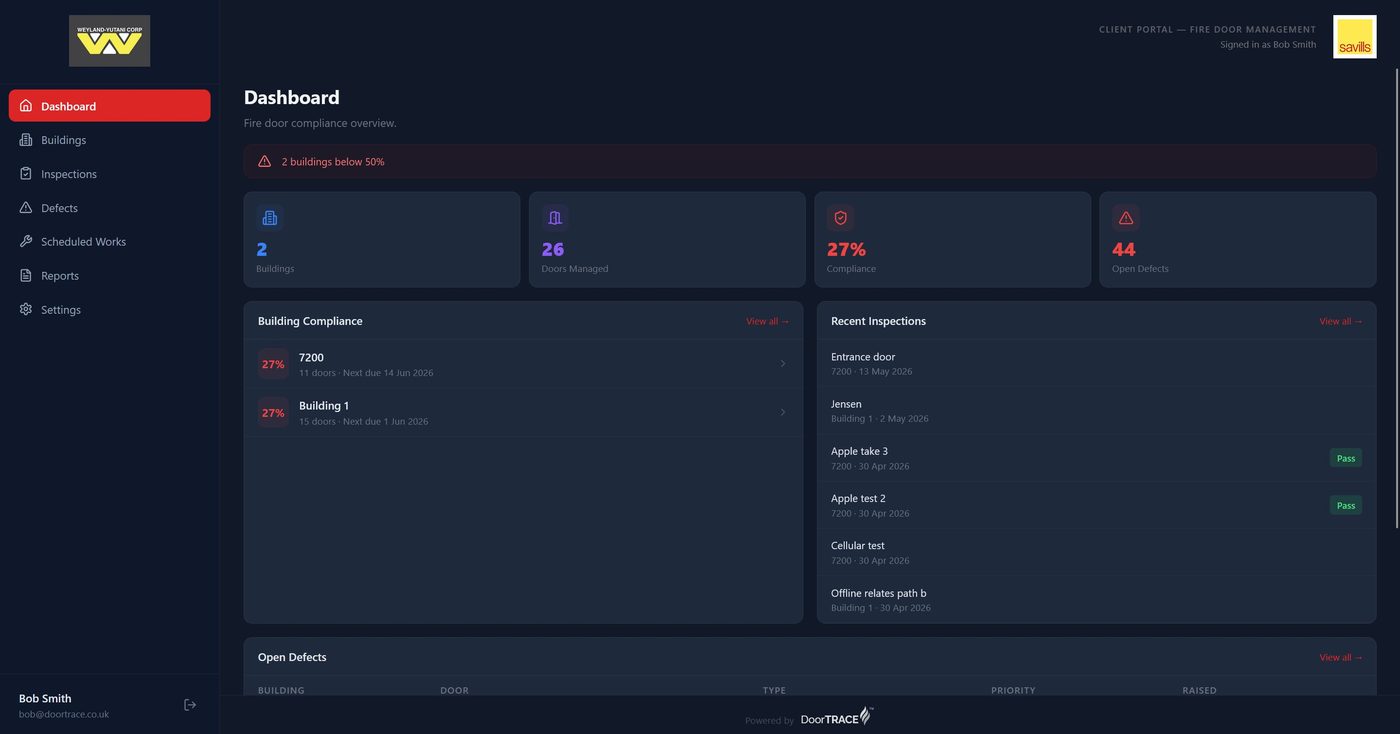
Every door, on the plan
Upload a plan for each floor and pin the doors onto it. Every pin takes the colour of the door's live status and a label that matches the door key, so "G-3" on the plan is G-3 in the report. Download one floor with its pins, or a pack of every floor in the building, and your clients see the same plans in their own portal.
About floor plansEvidence that stands up
Every registered door gets its own certificate. Every initial survey, routine inspection and post-remedial check gets its own branded report, and a full door report tells the whole story of one door from registration onwards. Building and client compliance reports roll it all up, and every action behind them lands in an append-only audit trail. When a fire officer, insurer or building owner asks for proof, it's a download, not a scramble.
About reports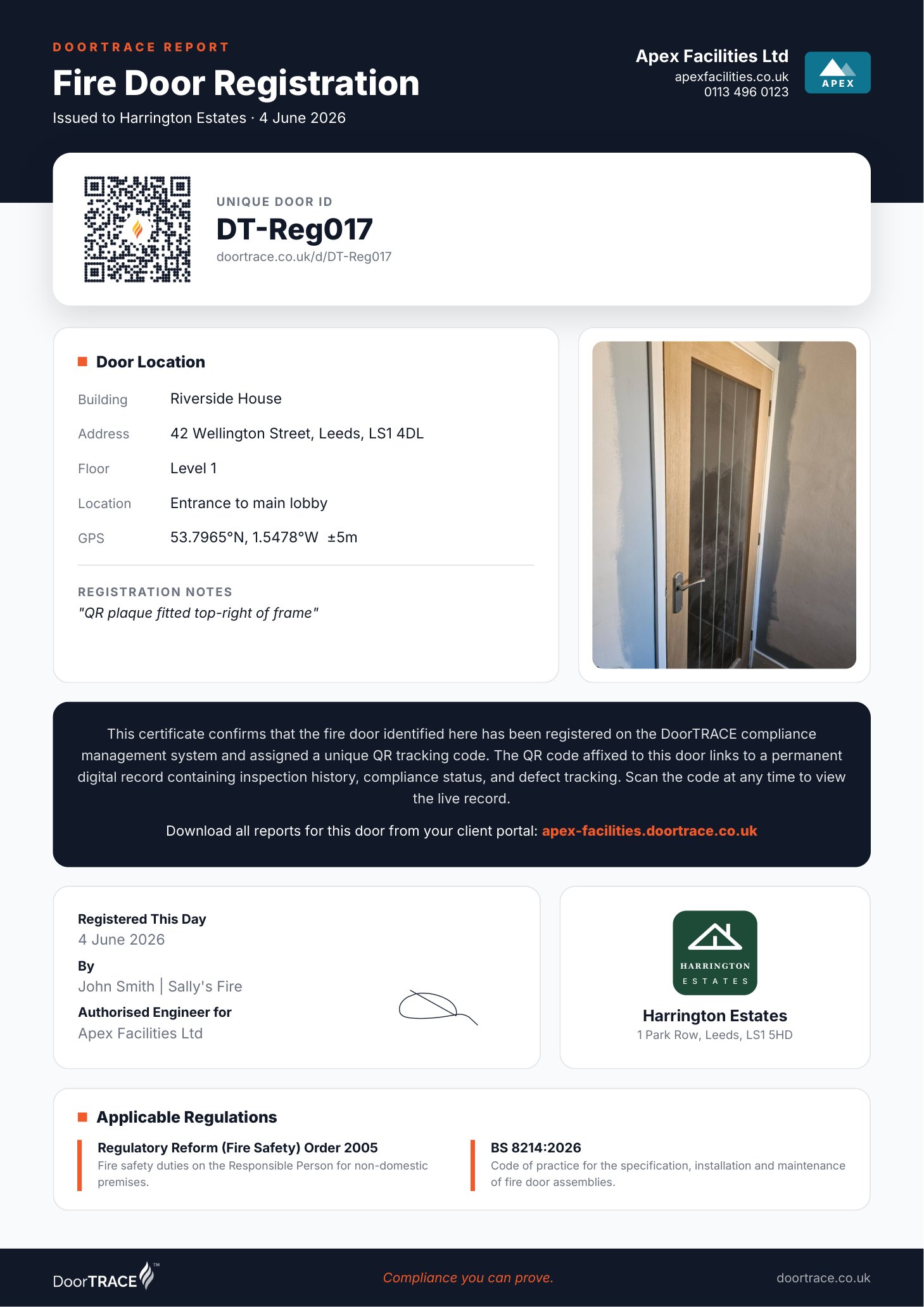
What to look for when choosing inspection software
Whether you choose DoorTRACE or not, these are the questions worth asking any vendor before you commit a portfolio to their system.
A checklist aligned to a published standard
Ask which standard the inspection checklist follows and when it was last updated. BS 8214:2026 replaced the 2016 edition in March 2026; software still built on the old edition will drift from current practice. If your engineers are on a third-party scheme such as BM TRADA Q-Mark, check the software can run that scheme's form too.
Doors on a plan, not just in a list
A list of 400 doors tells a fire officer nothing about where they are. Look for floor plans with every door pinned and colour-coded by status, downloadable as a document someone can walk the building with.
True offline capability
Fire doors live in stairwells, basements and corridors with no signal. If the app needs connectivity mid-inspection, it will fail exactly where the doors are.
An audit trail that cannot be edited
An editable history is not evidence. Look for an append-only log that records who did what and when, with no delete button anywhere.
Permanent door identity
If doors are identified by a room name in a spreadsheet, records break every time a corridor is renamed. Physical tags tied to database records survive refurbishments and staff changes.
Reporting your audience will accept
Regulators, insurers and building owners each want a different view of the same data: a certificate for one door, a report for one inspection, a compliance summary for a whole building or client. Check all of them can be branded and downloaded without manual work.
Pricing that fits how you operate
A per-user licence suits an in-house team; a per-door or per-scan rate suits a contractor. If the pricing model fights your operating model, your cost per door climbs fast.
Four ways to pay, all published
Most vendors hide pricing behind a sales call. Ours is on the website.
Everything DoorTRACE does with no contract and no minimum. Pay only for the inspections you complete; remedial work is free.
Unlimited scans, doors and users for organisations inspecting their own portfolio in-house.
A pre-agreed annual door count billed quarterly, with white-labelled client portals included.
Everything in Enterprise, and DoorTRACE performs the inspections and remedials too.
See it on your own doors
Tell us a little about your portfolio and we'll walk one of your buildings through the platform: plaques, inspection, defects and the report at the end. No obligation, no pressure.